Shift Pay
Track shifts, expenses, and net earnings across multiple part-time jobs.
 Jetpack Compose
 Android Studio
 Kotlin
 SQLite
 Room
Room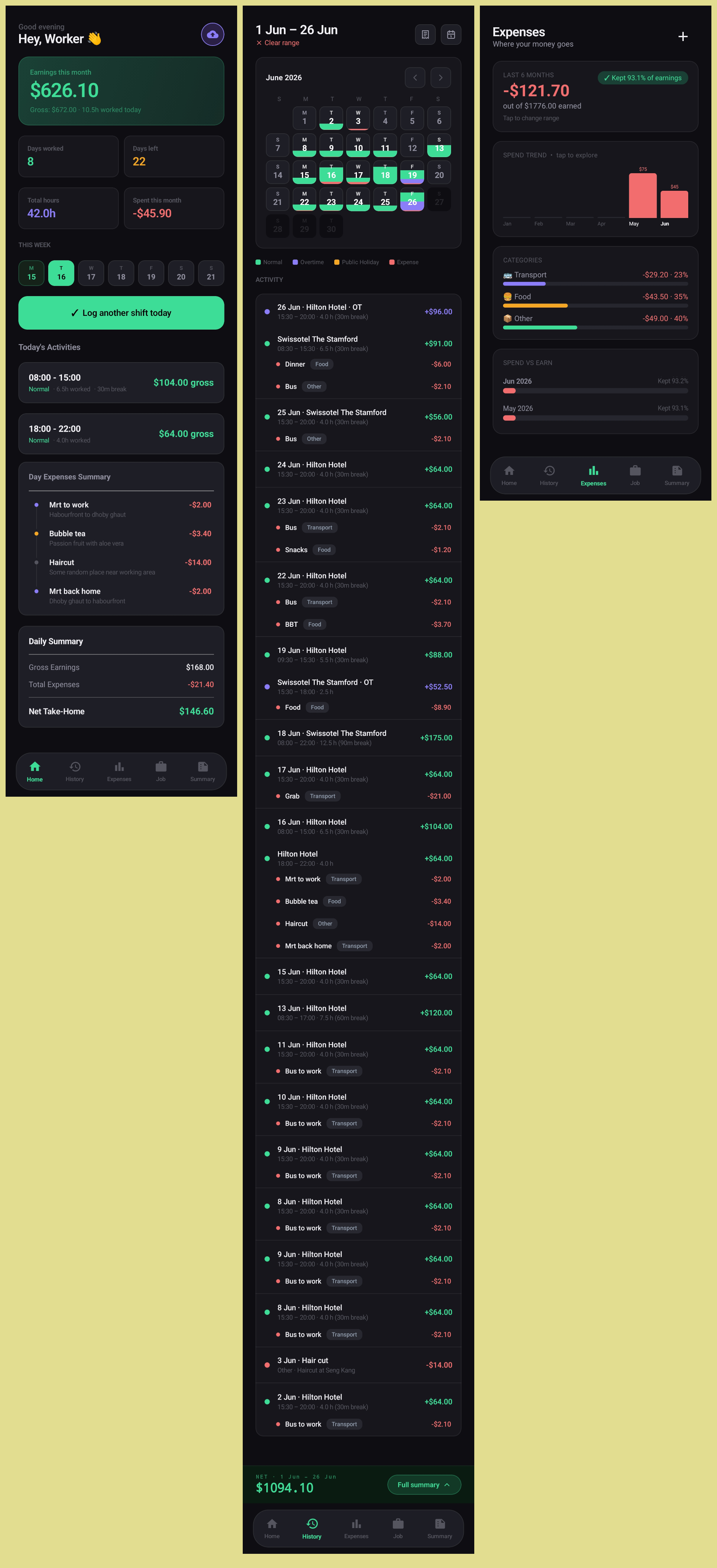
Overview
A personal Android app built in Kotlin with Jetpack Compose to solve a real problem: tracking pay as an ad-hoc and part-time worker. When you're picking up shifts across different jobs and pay rates, there's no good way to know what you've actually earned — especially once expenses are factored in. ShiftPay fills that gap.
The app lets you log shifts, attach expenses, and see a clear monthly breakdown of gross and net earnings across all your jobs.
Features
- Job management — Multiple jobs with Normal, OT, and PH pay rates
- Shift logging — Log by day with start/end time, break duration, and shift type
- Expense tracking — Attach to a shift, or log independently
- Earnings view — Monthly gross and net
- Export / import — JSON or Excel
Challenges
ShiftPay was my first project using Jetpack Compose. My prior Android experience was entirely XML-based layouts, so switching to a declarative UI model required a real shift in how I thought about state and rendering. Getting comfortable with Composables, recomposition, and StateFlow as the single source of truth took time — but by the end, the approach felt significantly cleaner than anything I'd built with XML.
Reflection
ShiftPay started as a tool for myself, which made it easier to stay focused on what actually matters. Because I was the user, I could evaluate every decision with a clear gut check: does this actually help me understand my earnings? That instinct drove most of the UI refinements, from the monthly view in the history list to the spend trend chart on the expenses screen.
Building a complete app solo also pushed me to think about architecture more deliberately than any team project had — there was no one else to catch a decision that would become painful later.
Screenshots
Under the Hood
Architecture
Android (Kotlin) · Jetpack Compose · Room (local SQLite persistence) · ViewModel + StateFlow for UI state management
Data flows from Room through repositories into ViewModels, which expose state as StateFlow that Composables collect. Earnings calculations are handled in a dedicated utility layer, keeping the ViewModel logic clean and the business rules independently testable.
Export and import are handled via the Android Storage Access Framework, writing to either JSON (full fidelity, suitable for backup and restore) or Excel (.xlsx, human-readable for sharing or personal records).